Interactive Image
Upload an image and pin notes to the spots that matter: audiences tap to read at their own pace. A live interactive image slide for anatomy, maps, and diagrams.
- Family
- Poll
- Scoring
- Unscored
- Best for
- Content & media · Presentation
- Ready-made games
- 2
You play as a player, straight away. No sign-up.
Top games in this format
2 games See all games in this format
Run Interactive Image with your group
Host it live from your screen while everyone joins on their phone, or open it in AhaSlides and swap in your own questions.
About this game
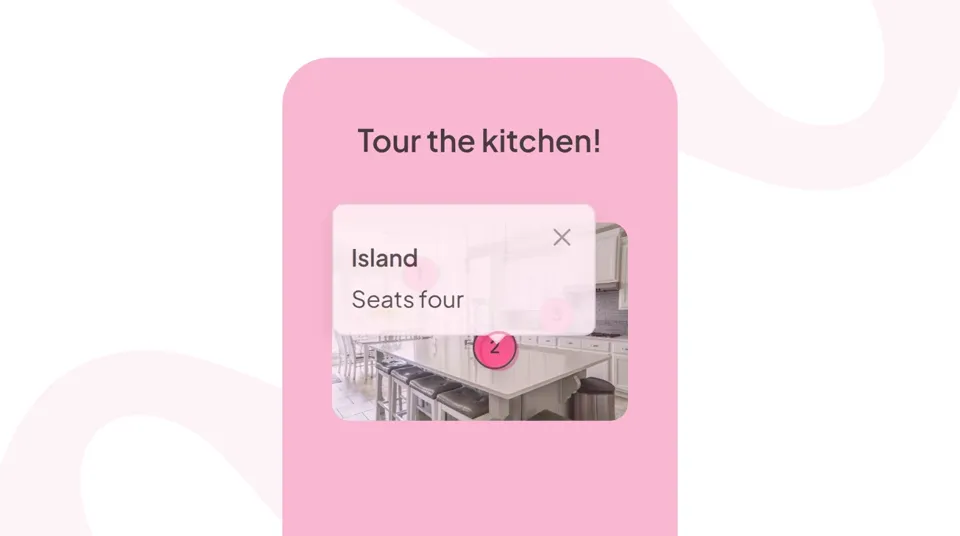
Interactive Image lets you pin explanatory notes to any spot on an uploaded image: anatomy diagrams, world maps, product screenshots, architectural plans. Audiences tap the hotspots on their phone and read the notes at their own pace, while you continue presenting. It is the slide format for "explore this image while I talk".
How Interactive Image works
Interactive Image is a single unscored slide. Upload once, pin the details that matter:
- Upload an image and drop pins on the specific spots you want to highlight.
- Add a title and description to each pin: as much or as little as you need.
- Share the join code; audiences see the image on their phone with tappable hotspots.
- Audiences explore the image at their own pace while you continue the discussion.
Best for
Interactive Image fits any subject where the visual IS the lesson:
- Teachers: anatomy diagrams, geography maps, historical scenes, and scientific illustrations.
- Product trainers: annotated product screenshots and UI walkthroughs for onboarding.
- Corporate trainers: process diagrams, org charts, and system architecture explanations.
- Event hosts: venue maps and program navigation for conferences and hybrid events.
Why teams love Interactive Image
Interactive Image beats a screenshot with callout arrows for one reason. The audience controls the pace:
- Self-paced exploration: audiences read the pins they care about, skip the ones they know.
- Presenter continues talking: no need to walk through every callout in real time.
- Works on any image: photos, diagrams, screenshots, maps, illustrations.
- Every phone has a magnifier: pins scale to the audience's screen for readability.
Free to build and the sharpest way to teach a visual without narrating every arrow.